


Nothing tests a friendship faster than painfully slow internet, and I learned that the hard way when my roommate started streaming 4K Twitch while I was on a critical Zoom job interview. That single disaster pushed me to create foolproof shared wifi etiquette rules for roommates that actually stuck. Three apartments and five roommates later, these simple habits keep everyone happily connected.
1. Set a Download Schedule for Big Files
My old roommate used to download entire Steam game libraries at 2 PM on a Tuesday, right when the rest of us were trying to work from home. The fix turned out to be simple. We agreed that any download over 10 GB happens after 11 PM or before 8 AM, no exceptions.
Most modern routers from brands like TP-Link or Netgear let you set QoS schedules automatically, so you do not even need to police each other manually. Once we made this a non-negotiable habit, our evening Netflix sessions stopped buffering completely.
2. Cap Streaming Resolution at 1080p
Four people streaming 4K on a 200 Mbps plan is a guaranteed recipe for everyone staring at a loading circle. We sat down one Sunday and agreed that all streaming stays at 1080p unless someone is home alone for the evening. Honestly, on a laptop screen you barely notice the difference anyway.
If you use YouTube, click the gear icon and lock the quality manually. Netflix lets you set data usage per profile under your Account settings. This single change freed up more bandwidth than anything else we tried. The difference was immediate and obvious.

3. Split the Internet Bill Based on Usage
Splitting the bill four ways sounds fair until you realize one person works from home all day on video calls and another barely connects their phone. We switched to a usage-based split using our router’s admin dashboard, which shows exactly how much data each connected device pulls every month.
The person pulling 60% of the bandwidth pays a proportionally bigger share. It took one slightly awkward conversation to set up, but it eliminated months of passive-aggressive sticky notes on the kitchen fridge. Fair is fair.
4. Use Ethernet Cables for Gaming and Video Calls
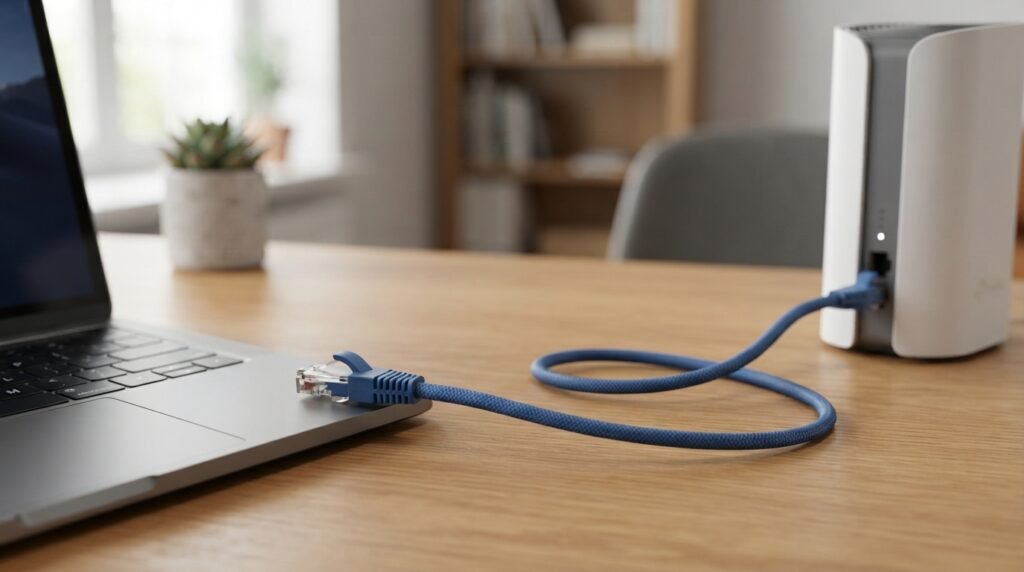
WiFi is convenient, but it is also the first thing to choke when three people hop on video calls at the same time. My roommate who games competitively switched to a Cat6 ethernet cable he grabbed from Amazon, and his lag spikes disappeared overnight. The rest of us noticed the extra WiFi breathing room almost immediately.
If your desk sits anywhere near the router, plug in directly. A cheap $7 cable solves problems that a $200 mesh system sometimes still cannot fix. Seriously, try it before spending big money.
5. Keep the Router Out in the Open
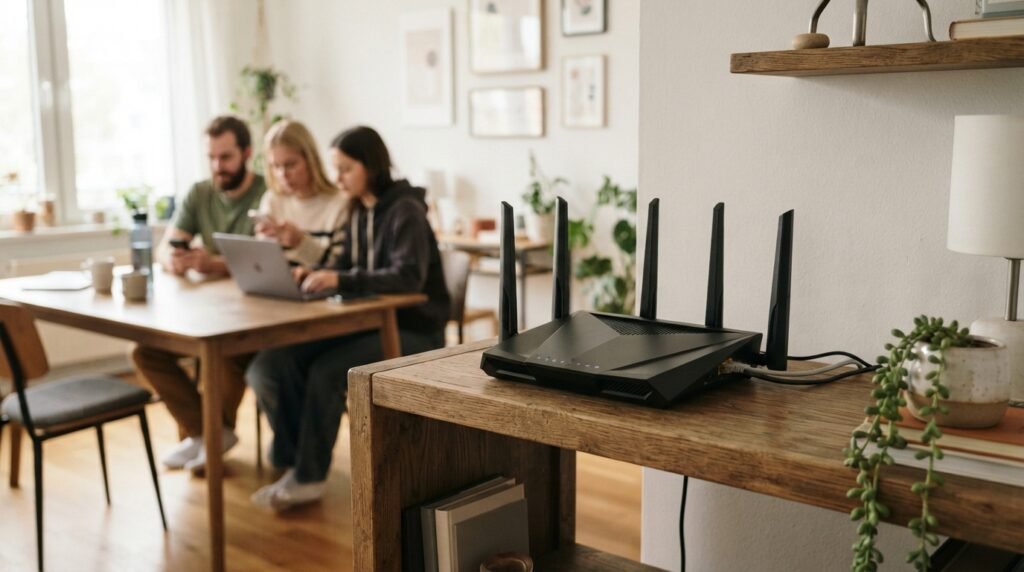
Shoving the router behind a bookshelf or inside a closed TV cabinet kills your signal faster than almost anything else. I made this exact mistake in my first shared apartment and spent weeks blaming our ISP before I realized the router was basically suffocating behind a wall of old textbooks.
Put it on a shelf in the most central room, elevated and away from metal objects or microwaves. The difference in signal strength across every bedroom was night and day after we moved ours to the main hallway.
6. Put Your Foolproof Shared WiFi Etiquette Rules for Roommates in Writing
This is the one rule that makes every other rule actually stick. Verbal agreements fall apart the second someone forgets the details or gets defensive about their habits. We typed up our full bandwidth rules in a shared Google Doc and pinned the link in our apartment group chat so nobody could pretend they did not know.
Having everything written down removes the emotion from the conversation entirely. These foolproof shared wifi etiquette rules for roommates work because they replace assumptions with clarity. When someone breaks a rule, you just point to the doc instead of starting a heated argument in the kitchen at midnight.

7. Create a Separate Guest Network
Every time a friend came over and connected their phone to our main network, everything slowed down just enough to be genuinely annoying. Setting up a guest network on our ASUS router took about three minutes in the admin panel, and it keeps all visitor devices completely walled off from the primary connection.
This also protects your personal files and smart home devices from random phones you do not fully trust. Give guests the separate password and forget about it. Your main network stays clean and fast.
8. Reboot the Router Every Sunday Morning
Routers quietly build up memory leaks and stale connections over time, and most people never restart theirs until the internet completely dies on a Wednesday afternoon. We made a Sunday morning reboot our little household ritual. One person unplugs the router while making coffee, waits a full thirty seconds, and plugs it back in.
That quick reset clears out accumulated junk data and forces the router to reassign channels automatically. This is one of the easiest foolproof shared wifi etiquette rules for roommates to follow, and our connection stayed noticeably faster all week long after we started doing it consistently.
9. Give a Heads Up Before Large Uploads
Downloads get all the attention, but uploads can wreck your shared connection just as badly. I once had a roommate upload a 40 GB video project to Dropbox at 9 AM on a weekday without telling anyone, and my important Zoom call turned into a pixelated mess within seconds.
Now we just drop a quick message in the apartment group chat before starting any big upload. A ten-second text saves everyone else from an hour of frustration and choppy connections during their own work hours. It costs nothing and takes almost zero effort.
10. Agree on a Quiet Hours Bandwidth Window
Late night is when most shared WiFi drama quietly starts. One person is gaming, another is downloading a movie, and someone else is trying to FaceTime their partner in a completely different time zone. We solved this by designating 1 AM to 7 AM as a free-for-all window where no bandwidth rules apply at all.
During those overnight hours, go completely wild. Outside of that window, the normal etiquette holds firm. Having a clearly defined release valve keeps people from feeling restricted all day long.
11. Limit the Number of Connected Smart Devices
Smart bulbs, smart plugs, smart speakers, smart everything. I counted fourteen IoT devices on our shared network last year, and each one quietly nibbles at your bandwidth even when sitting completely idle. We did a full device audit one Saturday and disconnected anything we did not actually use on a daily basis.
If your smart fridge is pulling data in the background and you never even open the app, unplug the WiFi module. Fewer connected devices means more bandwidth for the things that actually matter, like your work calls and evening streaming.
12. Upgrade the Plan Before Blaming Each Other
Sometimes the real problem is not your roommates at all but the plan itself. We spent two full months arguing about bandwidth before I finally checked our actual speed on Speedtest.net and realized we were getting 45 Mbps on a plan that promised 200. A quick call to our ISP fixed the issue the same afternoon.
If your household has more than three people, a 300 Mbps plan is the realistic minimum. Before you start blaming each other, try these foolproof shared wifi etiquette rules for roommates first. Splitting the extra $15 a month is way cheaper than replacing a friendship over constant buffering.
FAQs
Can too many devices slow down shared WiFi?
Absolutely. Every connected device pulls a small amount of bandwidth even when idle, and the router has to manage all those connections simultaneously. In my apartment, disconnecting six unused smart home devices made a bigger difference than upgrading our plan. Check your router admin page to see exactly what is connected right now.
What internet speed do roommates actually need?
For two to three people, 200 Mbps handles most situations fine. Once you hit four or more roommates who all work from home, I would push for 400 Mbps or higher. Run a test on Speedtest.net during your busiest hour to see what you are actually getting versus what you pay for.
Should roommates split the WiFi bill evenly?
Not always. If one person streams and games all day while another is barely home, an even split feels unfair fast. We started checking the router dashboard monthly and adjusting shares based on actual data usage. It takes five minutes and prevents a lot of quiet resentment from building up over time.
How do you handle a roommate who ignores WiFi rules?
Start with a direct, calm conversation instead of passive-aggressive notes. Point to the written agreement you both agreed to and explain how their usage affects your work or calls. If nothing changes after two honest talks, consider a router with per-device bandwidth limits so the hardware enforces the rules for you.
What are the best foolproof shared wifi etiquette rules for roommates in a small apartment?
In a small space, signal overlap is not the issue, bandwidth hogging is. Focus on the download schedule, the streaming resolution cap, and the written agreement. Those three rules alone solved about 90% of our problems in a 700 square foot apartment with four people and way too many devices.
Is a mesh WiFi system worth it for roommates?
For larger apartments or houses with thick walls, a mesh system like Eero or Google Nest WiFi can eliminate dead zones and distribute traffic more evenly. In a smaller apartment, a single well-placed router usually does the job. Save the money unless your speed tests show major drops in specific rooms.
Conclusion
Living with roommates is hard enough without fighting over bandwidth every single week. Set clear expectations early, put them in writing, and actually follow through on the agreements you make. What is the one WiFi rule your apartment absolutely cannot live without?