


Finding a foolproof daily tech routine for people with limited mobility changed how I interact with my own home. For years, waking up felt like preparing for a battle against my physical environment, leaving me exhausted before my feet even touched the floor. Then, I decided to let my devices do the heavy lifting, restructuring my morning setup completely. Now, my mornings feel peaceful, predictable, and entirely under my control.
The Foundation of an Accessible Smart Home
When your physical energy is finite, every movement requires a conscious decision. I used to spend half my morning energy just turning on lamps, adjusting the thermostat, and struggling to reach power strips hidden behind heavy furniture. Smart technology promised to solve all of this, but early on, my setup was a chaotic mess of disconnected apps that crashed constantly. Creating a structured system changed everything for me.
We need technology that works reliably without requiring physical intervention or constant troubleshooting. A successful layout starts with choosing one central platform, like Apple HomeKit or Google Home, and sticking to it. This prevents the nightmare of switching between multiple buggy apps when you are already feeling fatigued. The goal is to build a setup that responds to you, rather than making you work to keep it online.
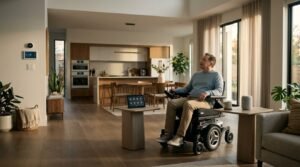
Designing a Foolproof Daily Tech Routine for People with Limited Mobility
Building a foolproof daily tech routine for people with limited mobility means planning for your worst physical days, not just your best ones. On a good day, you might not mind reaching for a tablet, but on a high-pain day, you need absolute hands-free control. I structure my routine around three core pillars: voice commands, automated triggers, and physical backup buttons placed within easy arm’s reach.
First, map out your typical day from the moment your eyes open to the second you go to sleep. Write down every physical barrier you encounter, such as heavy doors, hard-to-reach blinds, or distant wall switches. Once you have this list, you can systematically replace physical tasks with automated smart routines. For instance, instead of manually opening heavy curtains, you can program smart blinds to rise slowly with the sun. This step-by-step automation reduces physical friction throughout the day, preserving your energy for things that actually bring you joy.
Phase 1: The Hands-Free Morning Sequence
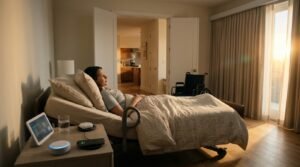
My day begins without me touching a single button. I use an Alexa routine triggered simply by my morning alarm going off. The bedroom lights fade up to ten percent brightness, preventing that harsh morning glare, while my smart plug starts the coffee maker in the kitchen. Having my first cup of coffee brewing automatically keeps me motivated to get out of bed on difficult mornings.
If you are setting this up, avoid the common mistake of scheduling everything to happen at an exact clock time. If you have a rough night of sleep and need to sleep in, a rigid time-based schedule will turn your house on while you are still resting. Instead, trigger your morning routine with a simple voice command like “good morning” when you are actually ready. This keeps you in control of your schedule, ensuring your tech works around your needs rather than forcing you to adapt to its schedule.
Phase 2: Workspace Optimizations for Maximum Comfort
Working or browsing from a desk can quickly become painful without the right ergonomic assistance. I mounted my main monitor on an adjustable gas-spring arm that lets me pull the screen close to my face or tilt it back if I need to change my seating angle. For typing, I rely heavily on voice dictation software like Nuance Dragon or the built-in dictation features on macOS. This saves my hands from repetitive strain and allows me to write long blog posts without touching a keyboard.
One vital tip is to invest in a heavy-duty smart power strip beneath your desk. You can name each outlet individually in your smart home app, allowing you to cut power to printers, chargers, or desk lamps using voice commands. No one with limited mobility should ever have to crawl under a desk to unplug a frozen device. Keeping everything voice-controllable from your chair keeps your workspace functional and completely pain-free.
Phase 3: Managing Household Maintenance Remotely
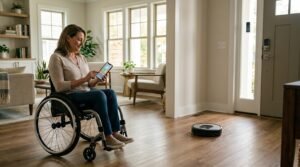
Keeping a clean house is a massive physical challenge when your movement is restricted. To manage this, I rely on a robot vacuum scheduled to run while I am resting in the bedroom. Modern robot vacuums, especially those with self-emptying bins like the Roborock series, require almost zero physical maintenance for weeks at a time. This keeps my floors clean without me ever needing to push a heavy, painful vacuum cleaner around the living room.
For home security and package deliveries, I installed a smart lock paired with a video doorbell. When someone knocks, I can view the camera feed on my phone and unlock the door using a simple voice command. This completely eliminates the need to rush to the door, which is both physically taxing and dangerous if you are prone to falls. You can greet visitors and let caregivers in safely from wherever you happen to be sitting.
Phase 4: Winding Down with Automated Evening Settings
As evening approaches, my system shifts focus toward relaxation and safety. I have an automated “goodnight” command that locks every exterior door, lowers the thermostat to a comfortable sleeping temperature, and turns off all main living room lights. This brings immense peace of mind, knowing my home is secure without me having to do a physical sweep of the house before bed.
To make this phase of your foolproof daily tech routine for people with limited mobility work perfectly, pay close attention to bedroom lighting. I keep a smart button stuck directly to my nightstand as a backup to voice commands. Sometimes you are too tired to speak clearly, or your throat is dry, so having a physical button to turn off the lights with a gentle tap is a lifesaver. This redundancy ensures you are never stranded in a dark room struggling to control your environment.

Essential Hardware and Software for Seamless Integration
Selecting the right gear is the backbone of any foolproof daily tech routine for people with limited mobility, as unreliable devices will only cause frustration. If your Wi-Fi router is weak, your devices will constantly disconnect, leaving you frustrated and physically stranded. I highly recommend upgrading to a mesh Wi-Fi system like Eero or Google Nest Wifi to ensure you have a strong, reliable signal in every single corner of your home. This prevents those annoying connection drops that ruin automated routines.
Additionally, look for devices that offer multiple control methods. For example, smart light bulbs that work with voice, apps, and physical wireless switches give you the ultimate flexibility. Personally, I prefer Philips Hue bulbs because, IMO, their outstanding reliability is unmatched. Investing in high-quality hardware upfront saves you from the physical fatigue of troubleshooting cheap, unreliable tech down the road.
Frequently Asked Questions
What is the most reliable voice assistant for hands-free control?
For absolute reliability, Amazon Alexa and Apple HomeKit stand out. Alexa integrates easily with thousands of budget-friendly smart home devices. Apple HomeKit is incredibly secure and fast, but it requires you to be fully in the Apple ecosystem. I use both to keep my household running smoothly.
How can I build a daily tech routine for people with limited mobility on a budget?
Start small by purchasing a single smart speaker and two smart plugs. Use these to automate your most physically challenging daily tasks, like turning on a hard-to-reach bedside lamp. You can gradually add more devices over time as your budget allows, without needing a massive upfront investment.
What happens to my automated home routines if the Wi-Fi goes down?
When your internet connection drops, cloud-based smart devices will stop responding to voice commands. To avoid being stranded, choose systems that support local control, such as Apple HomeKit or Hubitat. These smart hubs keep your daily routines running locally even without an active internet connection.
Can I set up these smart home systems without professional help?
Absolutely, most modern smart home devices feature simple plug-and-play installation through a smartphone app. If physical installation of smart switches or cameras is too difficult, you can ask a friend or hire a local technician for the physical mounting while you handle the app setup.
Conclusion
Taking control of your environment through smart technology can completely change how you live your daily life. By taking the time to build a system that works for your unique physical needs, you can reclaim your energy and independence. What is the first smart device you plan to integrate into your morning routine?